

Claude by Anthropic review
 Analysis by GetAllApps
I use Claude when a task needs more than a quick answer: shaping a rough email, understanding a dense passage, or getting unstuck on a piece of code. On a phone, that makes it a useful companion for work that begins in a spare moment and continues later at a desk. It is not a magic shortcut, though. The quality of the result depends on how clearly I explain the task, and important answers still deserve a careful check.
Where Claude fits into a productive day
Claude is a productivity app from Anthropic PBC, built around conversations with an AI assistant. I find the conversational format more useful than a blank document when I have an incomplete idea but do not yet know how to organize it. I can explain the goal in ordinary language, ask for a draft, then refine the result by pointing to what feels too formal, too long, or insufficiently clear.
That back-and-forth is the app’s central strength. Instead of treating every request as a separate search, I can give context and ask follow-up questions in the same conversation. For writing, that can mean moving from a handful of notes to a readable outline, then asking for a version aimed at a particular audience. For coding, it can mean describing an error or explaining what a snippet is supposed to do and using the response as a starting point for investigation.
I would not treat it as a replacement for a dedicated notes app, word processor, or development environment. Its value is in helping me think through and transform material, not in being the final home for every document or project. I usually take a useful draft elsewhere to edit, verify, and save in the place where the finished work belongs.
How quickly it feels useful
For a straightforward question or a small rewrite, the experience feels direct: I can state what I need and get into the work without first building a complicated setup. More involved prompts naturally require more thought from me. If I ask for a comparison, a careful explanation, and a polished summary all at once, I should expect to review the answer rather than treat it as an instant finished product.
My best speed tip is to put the essential constraints in the first message. For example, instead of asking for “an email about the schedule,” I would say who will read it, what changed, and whether I want a warm or neutral tone. That reduces the need for corrective turns. If the first draft is close but not right, a focused follow-up—such as “keep the facts, but make the opening less apologetic”—is more productive than starting over with an entirely new prompt.
The app’s conversational approach also makes it convenient to work in stages. I might first ask for a plain-language explanation, then ask which parts are uncertain, and finally request a concise version to share with someone else. That is often faster than trying to write one perfect instruction. The trade-off is that a longer exchange can become harder to manage if I keep changing the goal without saying so; I get better results when I mark a clear shift in what I want.
When the workload gets heavier
Claude is most useful to me when the task has enough context to benefit from discussion but is still small enough to review on a phone. A realistic example is handling a packed morning: I can turn meeting notes into a short list of decisions and open questions, then ask for a tactful follow-up message. I still compare the draft with my notes before sending it, especially if names, commitments, or dates matter. The assistant can make the writing easier; it cannot take responsibility for the details.
For longer writing, I treat the first answer as a working draft rather than a finished article. I ask for one kind of improvement at a time—structure first, clarity next, tone last—because that makes it easier to spot when an edit has changed the meaning. A useful, less obvious habit is to ask Claude to preserve specific phrases or facts while revising everything around them. That can help when I need smoother prose without losing the wording that carries an important qualification.
Coding help benefits from a similar discipline. I would include the relevant snippet, describe the expected behavior, and say what actually happens. Then I would ask for an explanation of the proposed change, not just a replacement block of code. This turns the conversation into a learning aid and makes it easier to notice a suggestion that does not match the surrounding project. I would not use a chat response as a substitute for running tests or reviewing code in its real environment.
There is also a practical stopping point. When a request depends on exact, current facts or on details that I have not provided, I do not assume a confident-sounding reply is correct. I ask what assumptions the answer is making, provide source material when appropriate, and verify anything consequential independently. For brainstorming or first-pass wording, a little uncertainty is manageable; for legal, medical, financial, or operational decisions, it is not a reason to skip expert judgment.
Reliability, corrections, and sensible recovery
In ordinary use, I think of reliability less as “never making a mistake” and more as how easily I can recover when the result misses the mark. With Claude, I can correct the direction in plain language and ask it to revise a particular section. That is more comfortable than repeatedly rebuilding a prompt from scratch, provided I keep the context and desired change explicit.
For work I care about, I avoid relying on a single generated response as the only copy of something important. I keep original notes or source text available, and I move polished material into a suitable document or code editor. This simple workflow protects against losing useful context and gives me a place to make final edits. If an answer contradicts information I supplied earlier, I point out the conflict and ask for a reconciliation rather than silently accepting the newer version.
Long conversations can also become less efficient when they contain several unrelated tasks. I find it clearer to separate a new subject into its own conversation, while keeping a focused task together when later requests depend on earlier details. That is a small organizational choice, but it helps me tell whether an answer is responding to the current request or carrying along assumptions from another part of the discussion.
I cannot sensibly promise a particular response time or uninterrupted performance on every device and network. In practice, the perceived pace depends on the size and complexity of the request as well as the conditions of use. If a response is taking longer than expected, I would avoid sending the same prompt repeatedly; first I would check whether the current exchange has completed, then retry once if needed. Keeping a copy of a long prompt before sending it is a sensible precaution for any mobile writing workflow.
Phone use, compatibility, and resource trade-offs
The mobile format suits quick drafting, questions, and reviewing text while away from a computer. It is less comfortable for comparing several long passages, editing code in depth, or carefully checking a large document line by line. Those tasks are usually easier with a larger screen and the tools that support the final work. I see the phone app as a capable entry point into a task, not necessarily the best place to finish every task.
The app supports Android devices running version 8.0 or later. That gives it a broad baseline, but compatibility alone does not tell me how smoothly it will feel on an older or heavily loaded phone. I would judge that on the device in hand rather than assume that every eligible model behaves alike. As with any AI conversation app, a stable connection matters to the experience; I plan substantial work for a moment when I can stay connected rather than expecting a mobile chat to function like an offline editor.
For resource demands, I would avoid making claims about battery use or storage without testing the specific phone. A practical approach is to use it for the exchange itself and move larger editing jobs to a tool designed for that work. If I am on a limited connection or trying to preserve battery, I keep prompts focused and avoid turning a small task into a long chain of unnecessary revisions. That is useful regardless of device, and it also tends to produce a clearer conversation.
Claude is free to install, with in-app purchases listed from twenty dollars to seven hundred dollars per item. I would check the app store’s purchase details before committing to anything, particularly if I only need occasional writing help. Its teen content rating is another reason families should make their own judgment about whether an AI conversation tool suits a younger user, rather than treating the label as a substitute for supervision.
How it compares with familiar alternatives
Compared with a conventional search engine, Claude is better suited to turning supplied context into a draft, explanation, or sequence of revisions. Search is the better choice when I need to locate original sources, confirm a fresh announcement, or compare information directly from publishers. I do not expect a conversational answer to replace that source-checking step.
Compared with a standard writing app, Claude can help me get past the blank page and rethink a passage, but a word processor remains better for precise formatting, tracked edits, and final document control. Compared with coding inside a full development environment, the app makes it easy to ask for an explanation or a possible fix, but it cannot replace the project’s own build, tests, and debugging tools. The useful distinction is that Claude helps me reason and draft; the specialist tool helps me verify and deliver.
Its audience numbers suggest that it has become a widely used choice: it has over fifty million installs, an average rating of 4.5 from around 828,000 ratings, and about 16,000 written reviews. Those figures are useful context, not proof that it will suit every workflow. The app remains free to start, while paid in-app items can make the cost decision relevant for people who plan to use it heavily.
Who I would recommend it to
I would recommend Claude to someone who often has thoughts, notes, or questions that need shaping before they become usable work. It is especially appealing if you like refining a result through conversation rather than choosing from rigid templates. Students can use it to ask for a simpler explanation of material they are already studying; professionals can use it to improve a draft or organize meeting notes; developers can ask it to explain code and suggest approaches.
I would be more cautious if you need guaranteed factual precision without checking, a full document-management system, or an offline workspace. It is also a poor fit if you prefer answers that always arrive in a fixed format and do not want to spend time steering them. People handling confidential material should think carefully before entering it into any AI service and follow the rules that apply to their workplace or school.
The current version is 1.261023.20, and the app was released on July 11, 2024. I mention that as useful context for identifying the app, not as a reason to expect any particular behavior on a specific phone. The more important question is whether its conversational workflow matches the way you actually work.
My performance verdict
For me, Claude earns a place on a phone because it reduces the effort of getting from an unclear thought to a workable first draft. It feels most effective when I give it a concrete goal, keep complex work in manageable stages, and check the result against the original facts. Its main trade-off is that the same conversational flexibility that makes revision pleasant can also invite extra back-and-forth, and polished language should never be mistaken for verified accuracy.
My recommendation is to try it for low-risk, repeatable tasks first: rewrite a note, explain a difficult paragraph, or turn rough meeting points into a draft. If that saves you time, build a careful workflow around it; if your priority is source discovery, precise document control, or deep technical testing, use Claude alongside the specialized tools that do those jobs better. That is where I think the app is genuinely useful: not as an all-purpose replacement, but as a convenient thinking partner that helps me make a stronger first move.
Pros and cons
Pros
- Free access includes a useful daily allowance of messages.
- Projects help organize chats and reference files by topic.
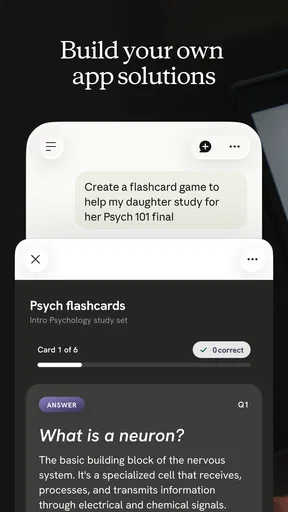
- Artifacts provide a convenient space for creating and editing content.
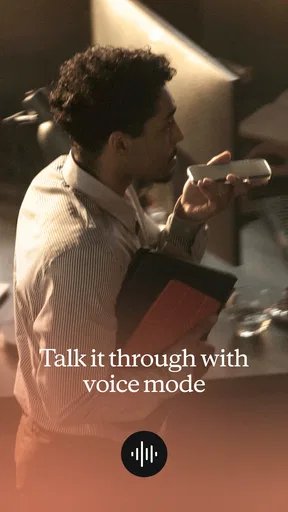
- Voice mode lets you talk with Claude hands-free.
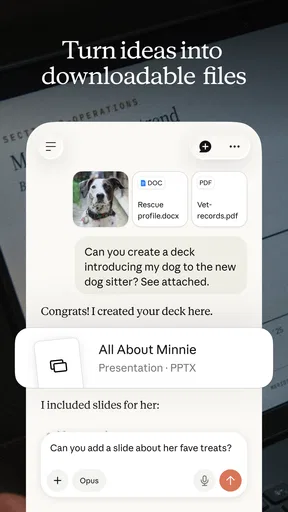
- Claude can analyze uploaded documents and images.
Cons
- Free usage limits can interrupt longer sessions.
- Some features require a paid subscription.
- Responses may contain inaccurate or outdated information.
- Availability of features can vary by region.
- The app needs an internet connection for most tasks.


